
Objectives
- Students will understand how to interact with Microsoft's MakeCode resource
- Students will learn how to block code a flashing / ”beating” heart
- Students will review what their code would've looked like in JavaScript and Python
Materials
- Activity website (no account necessary)
- Optional: a Microsoft micro:bit
Basic vocabulary
- Block coding: A form of beginner programming where visual blocks that represent real coding logic are arranged to create functional programs.
- JavaScript: A high-level, interpreted scripting language used primarily in web development to create dynamic and interactive websites.
- Python: A high-level, interpreted programming language known for its simplicity and readability, widely used for web development, data analysis, artificial intelligence, and more.
- Loop: A programming construct that repeats a sequence of instructions until a specific condition is met or a certain number of iterations are completed.
Introduction
Begin by asking students if they have heard of Microsoft or block coding before. Discuss with them how large-scale of a technology company Microsoft is, including the impacts that Microsoft has had on their daily lives, before starting your discussion on block coding.
Now, initiate further discussion about what they think coding entails. It is easy (and humorous) to think of this abstract concept of "coding" where someone is hunched over their computer in a dark room somewhere, wearing a hoodie, and "hacking into the mainframe." However, emphasize strongly how coding is something that ANYONE can do - even without a hoodie! For this specific activity, though, what you will need, preferably, is every student with a personal computer to work freely on.
This module's activity will be utilizing Microsoft's MakeCode resource, which is a great tool for getting into coding, starting with the basics of block coding. Block coding is completely beginner-friendly; instead of typing a coding language, you simply drag and drop jigsaw-like pieces together to build things. The visual blocks do, however, actually represent real-life coding logic and programming concepts (such as loops). Furthermore, these blocks can be arranged in special ways to create functional programs, just as those in and/or for our computers. Microsoft's MakeCode resource aids in the visualization of this process so that you will be able to see real-time changes, as well as obtain hands-on exposure to the realm of coding!
Flashing Heart Tutorial
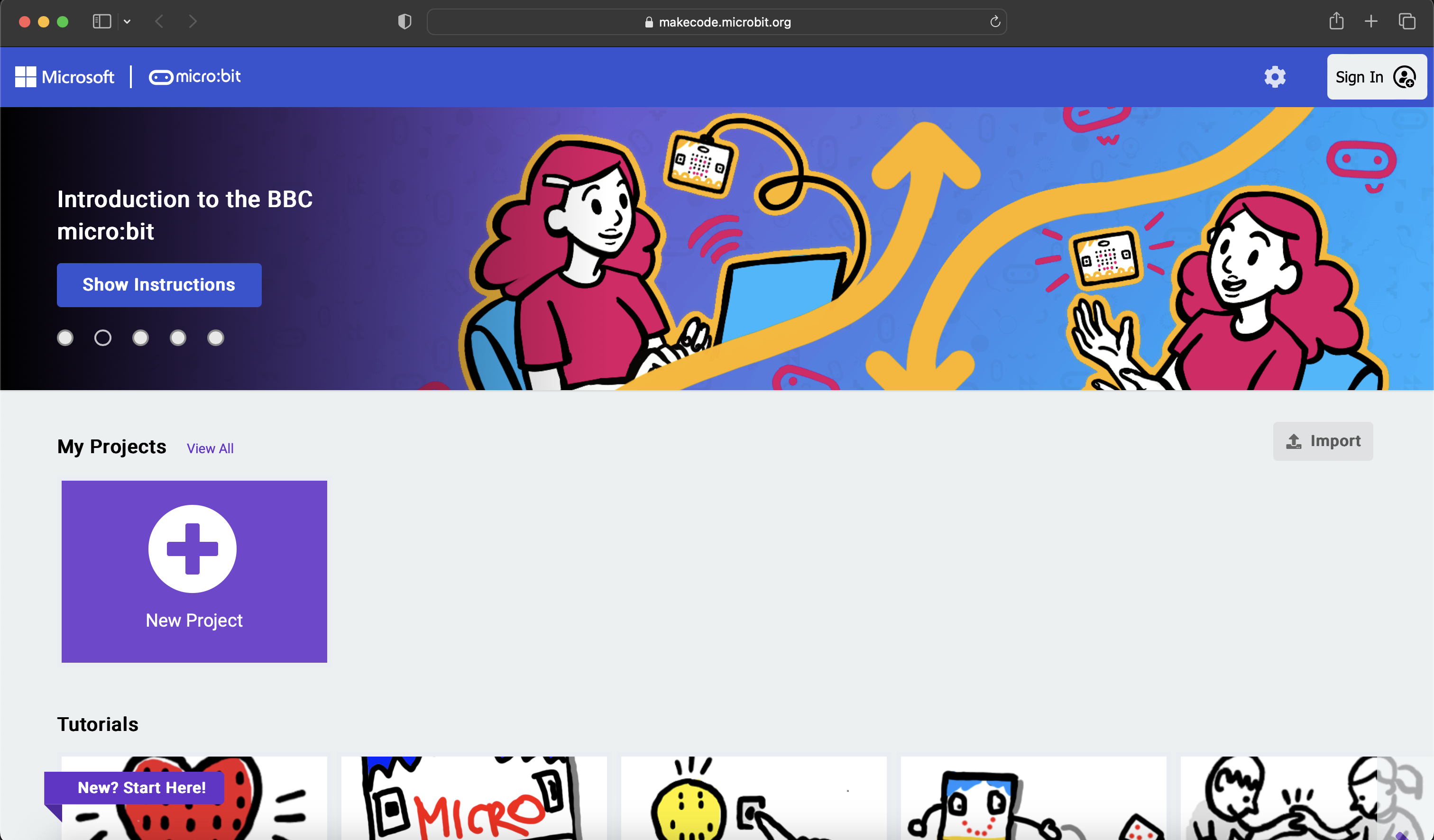
- Navigate to Microsoft MakeCode where you will be directed onto the home page, as shown below. NOTE: you are not required to login or create an account to interact with this resource.
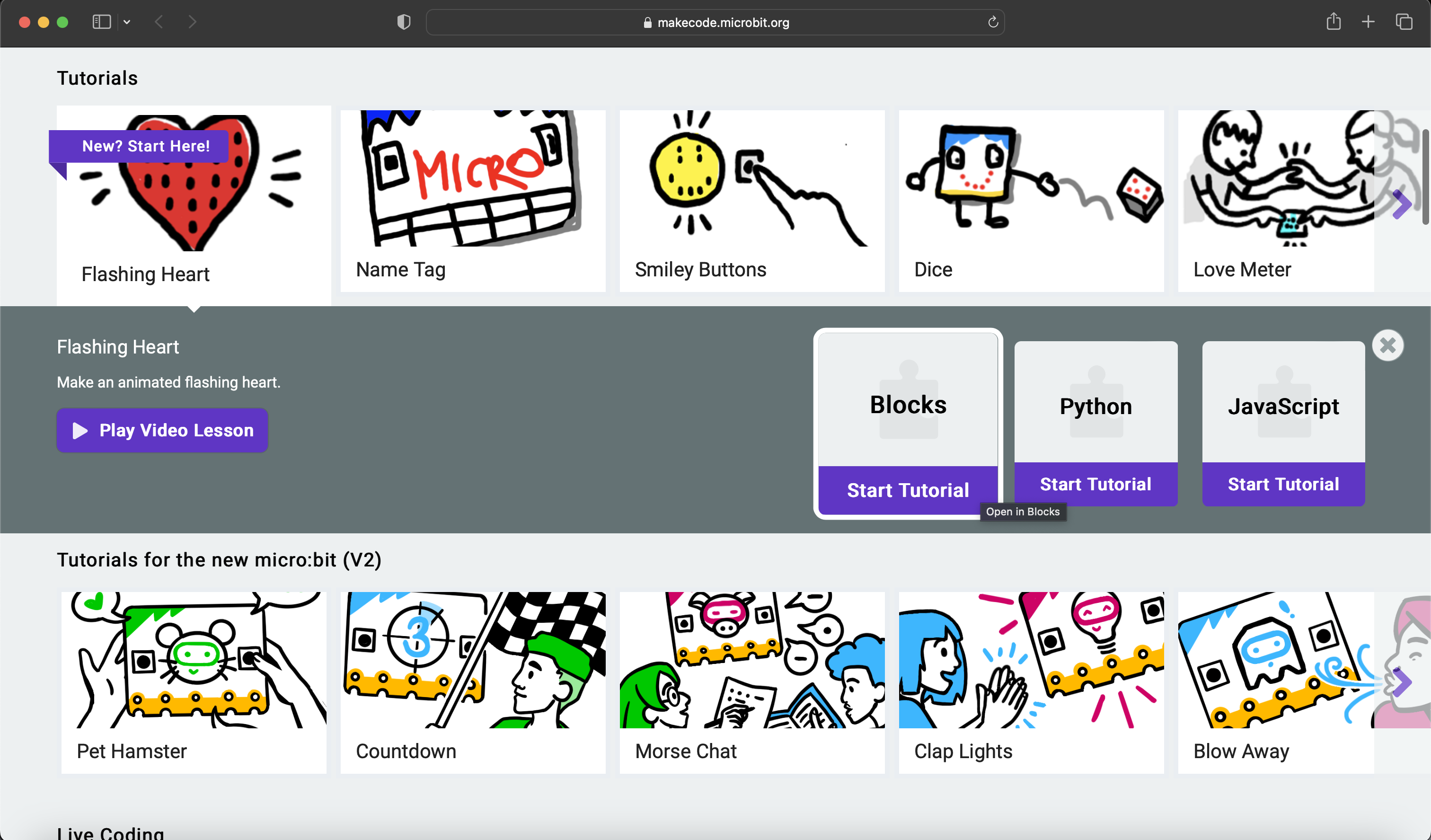
- Locate the “Flashing Heart” tutorial and click on “Start Tutorial” on the “Blocks” option.
Optional: click on "Play Video Lesson" which will direct you to YouTube where you may follow a supplemental video tutorial.
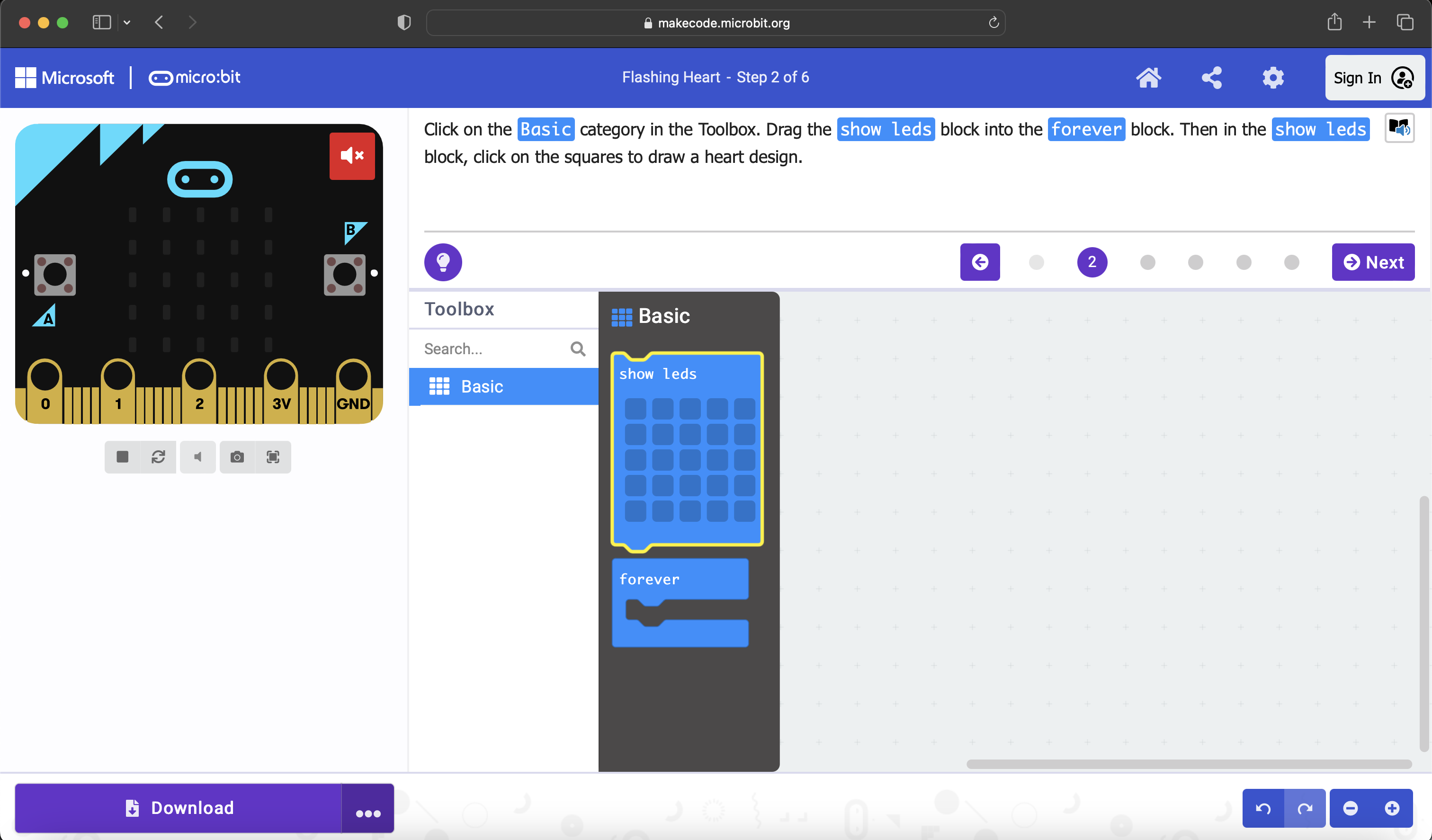
- Once the Flashing Heart - Blocks tutorial page loads, follow the directions at the top of the screen: Click on the Basic category in the Toolbox... (see below)
- …Drag the show leds block into the forever block… (see below). Here, the forever block represents what is referred to in coding as a loop. Remember that a Loop is a programming construct that repeats a sequence of instructions until a specific condition is met or a certain number of iterations are completed.
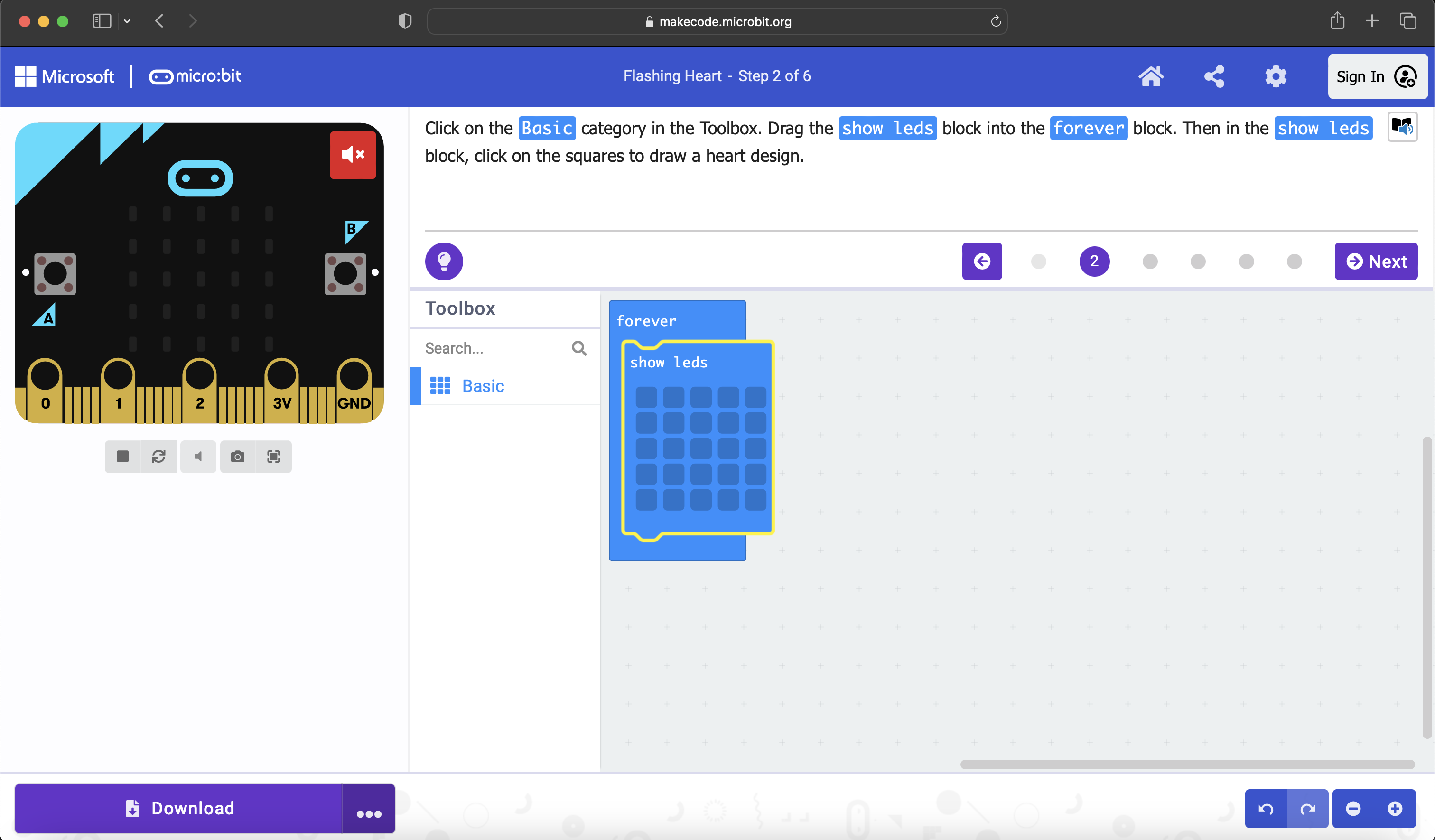
- …Then in the show leds block, click on the squares to draw a heart design. (see below)
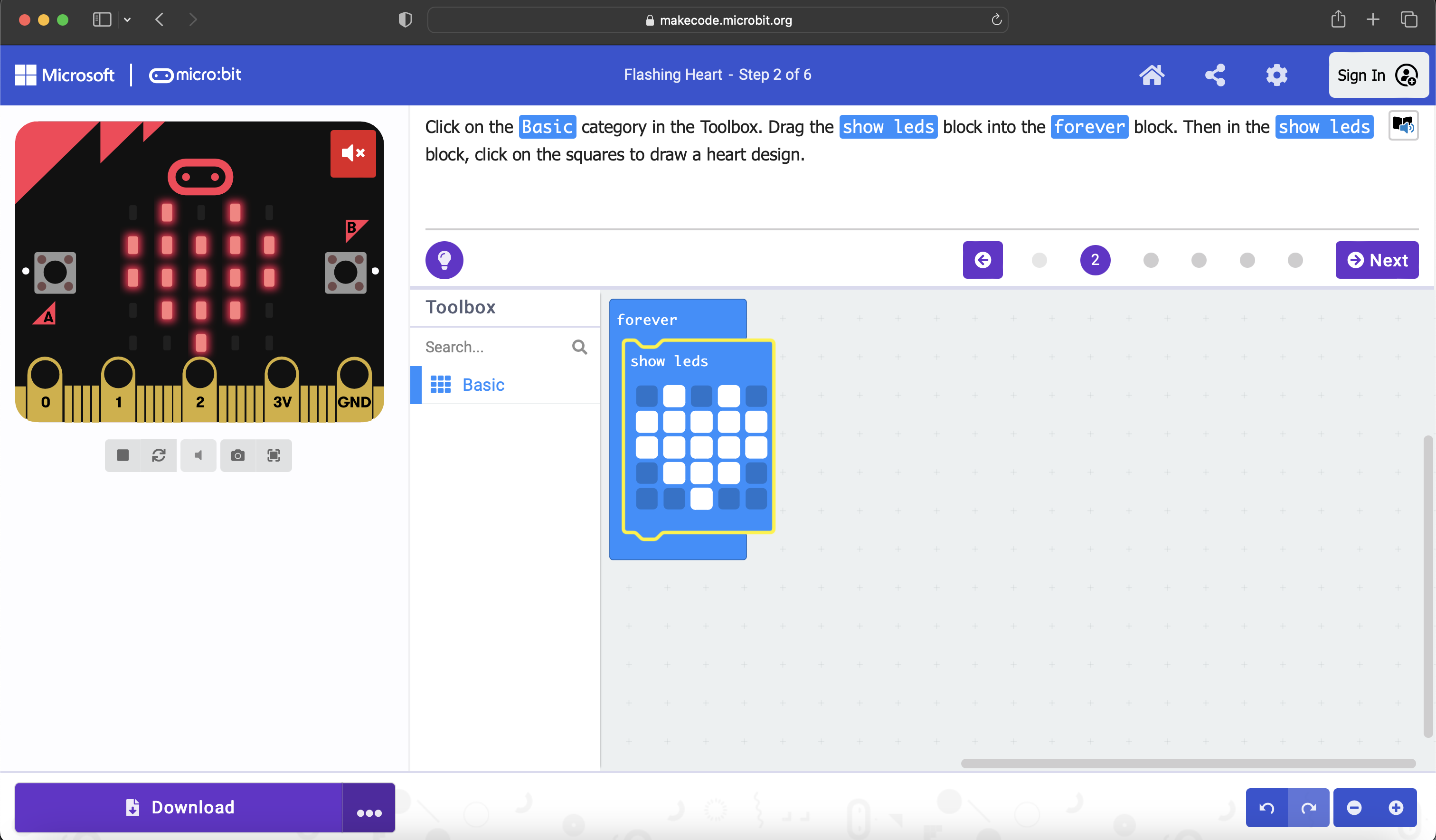
- Now, click the "Next" button, which will instruct you to: Drag another show leds block underneath the first. (see below)
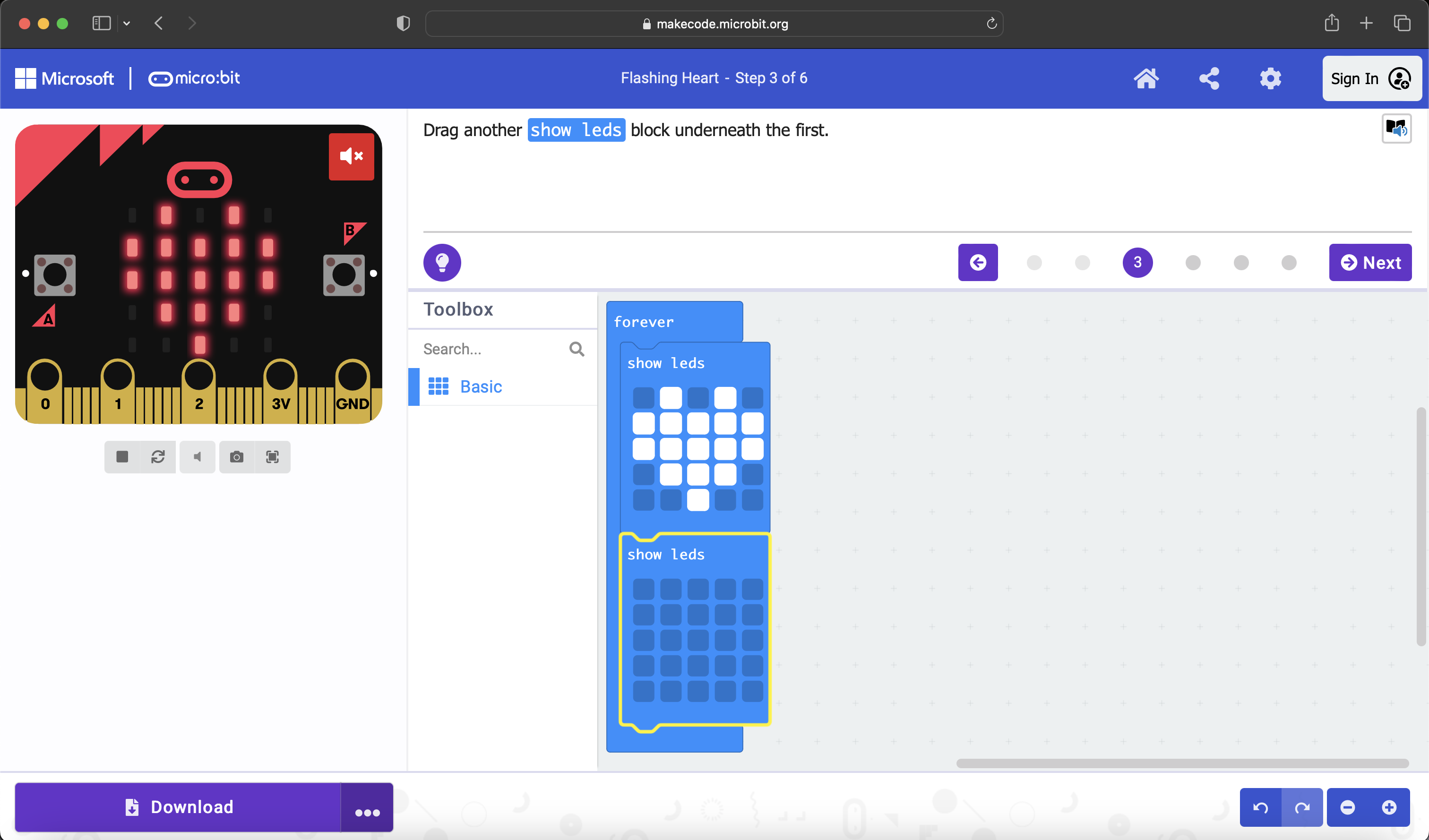
- Notice how the animated heart is “beating” now? Click the “Next” button again, which will congratulate you on your new flashing heart animation!
Class Activity
While creating a flashing heart animation is exciting in and of itself, this module aims to dig deeper into some real code behind this block coding exercise!
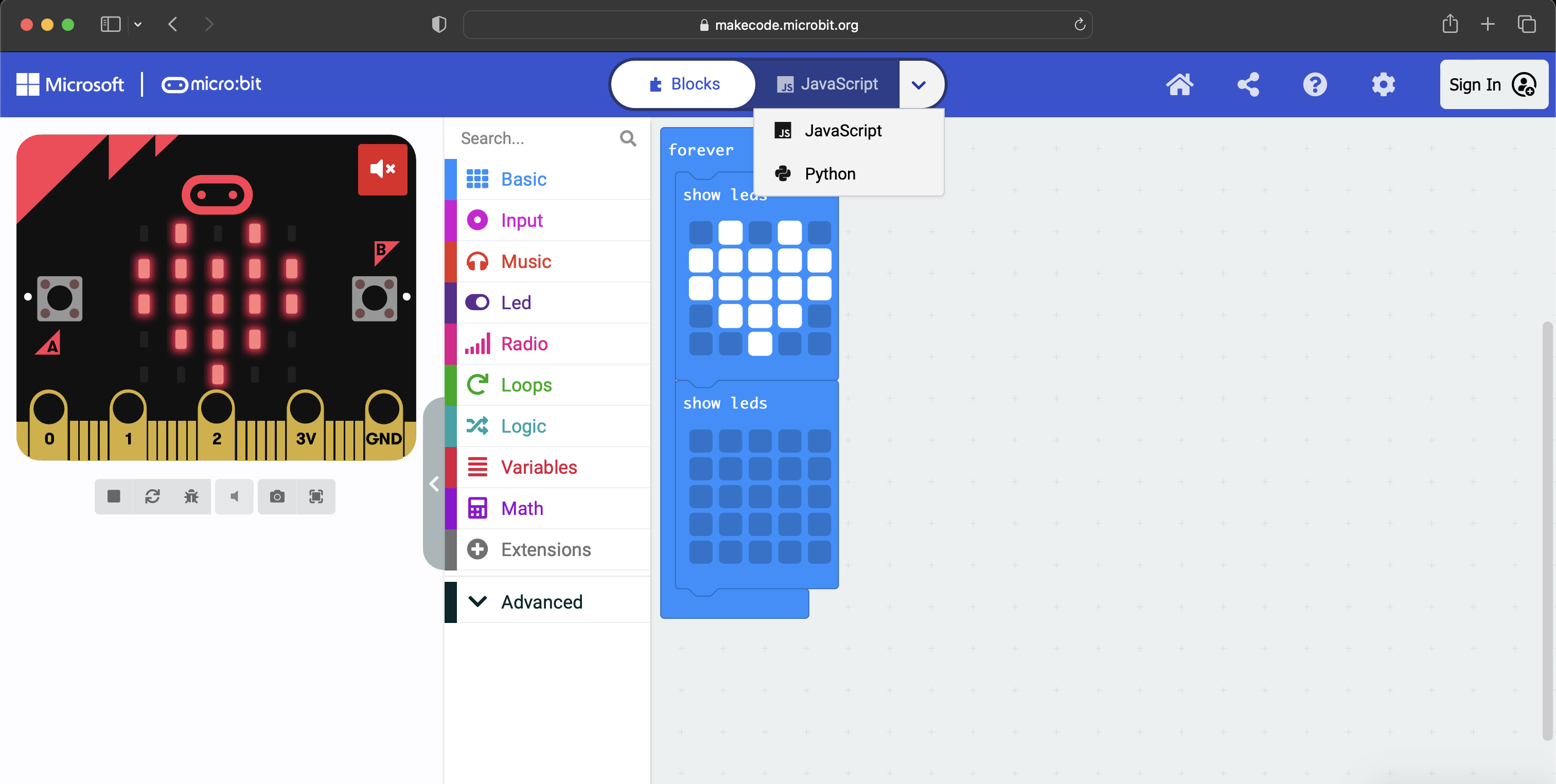
- Once you have clicked through all of the following steps via the "Next" button, followed by the "Done" button, you will be taken to a page like the one below. At the top, locate the "Blocks" button, and either click the "JavaScript" button next to it, or you may click the down arrow symbol next to "JavaScript" to select either JavaScript or Python. For now, let's look at the JavaScript, so click on that one.
- This will take you to a page displaying different symbols and characters than the blocks we were previously working with. Would you believe that the blocks were essentially a user-friendly medium to write the actual JavaScript code, as shown below? It's true! Whereas blocks are utilized as form of beginner programming ("block coding") such that visual blocks are arranged to create functional programs representing real coding logic, what we see below is the real code, in JavaScript!
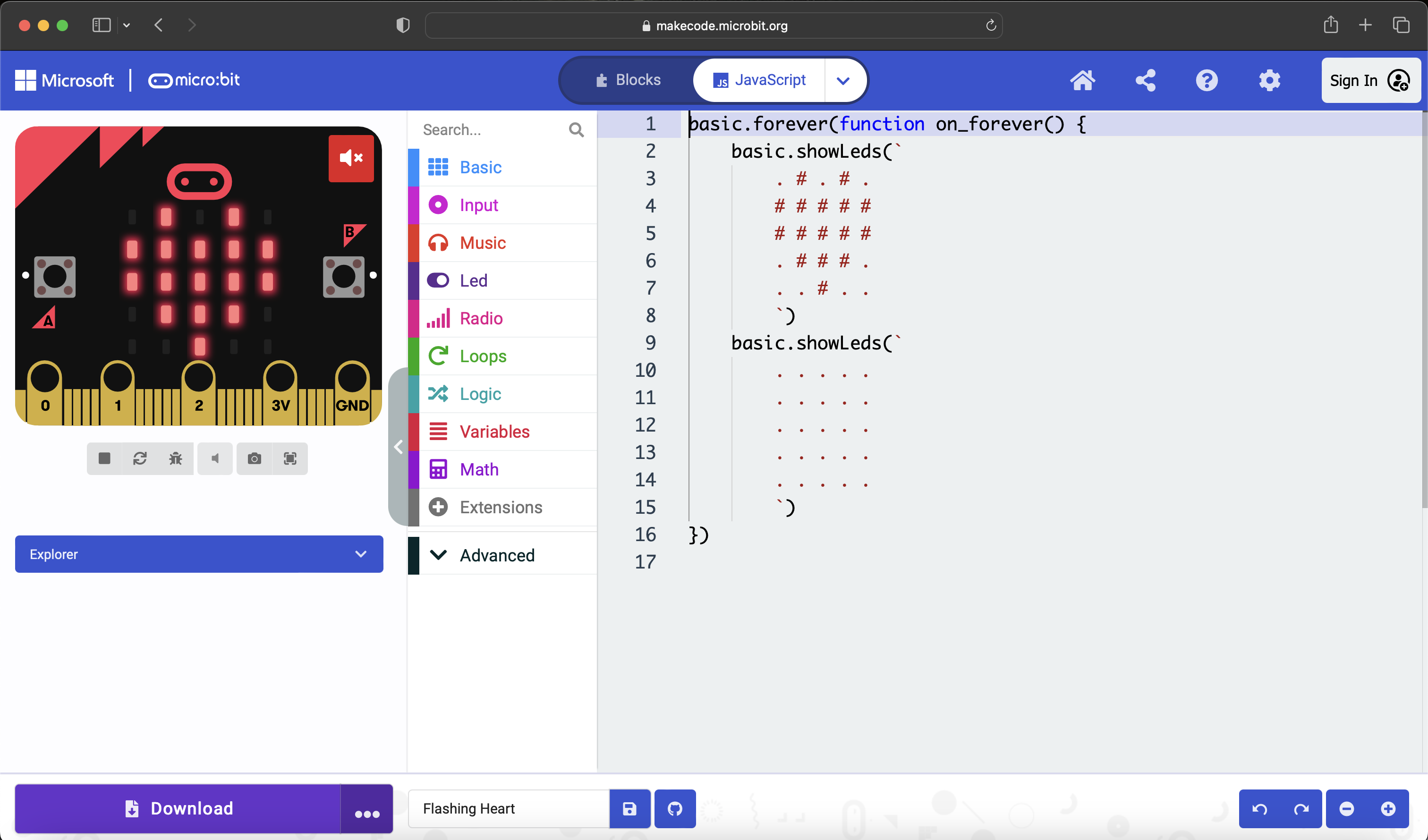
- Now, locate the drop down arrow at the top again, but select "Python" this time (shown below). Compare the two. What do you notice is similar between them? What do you notice is different?
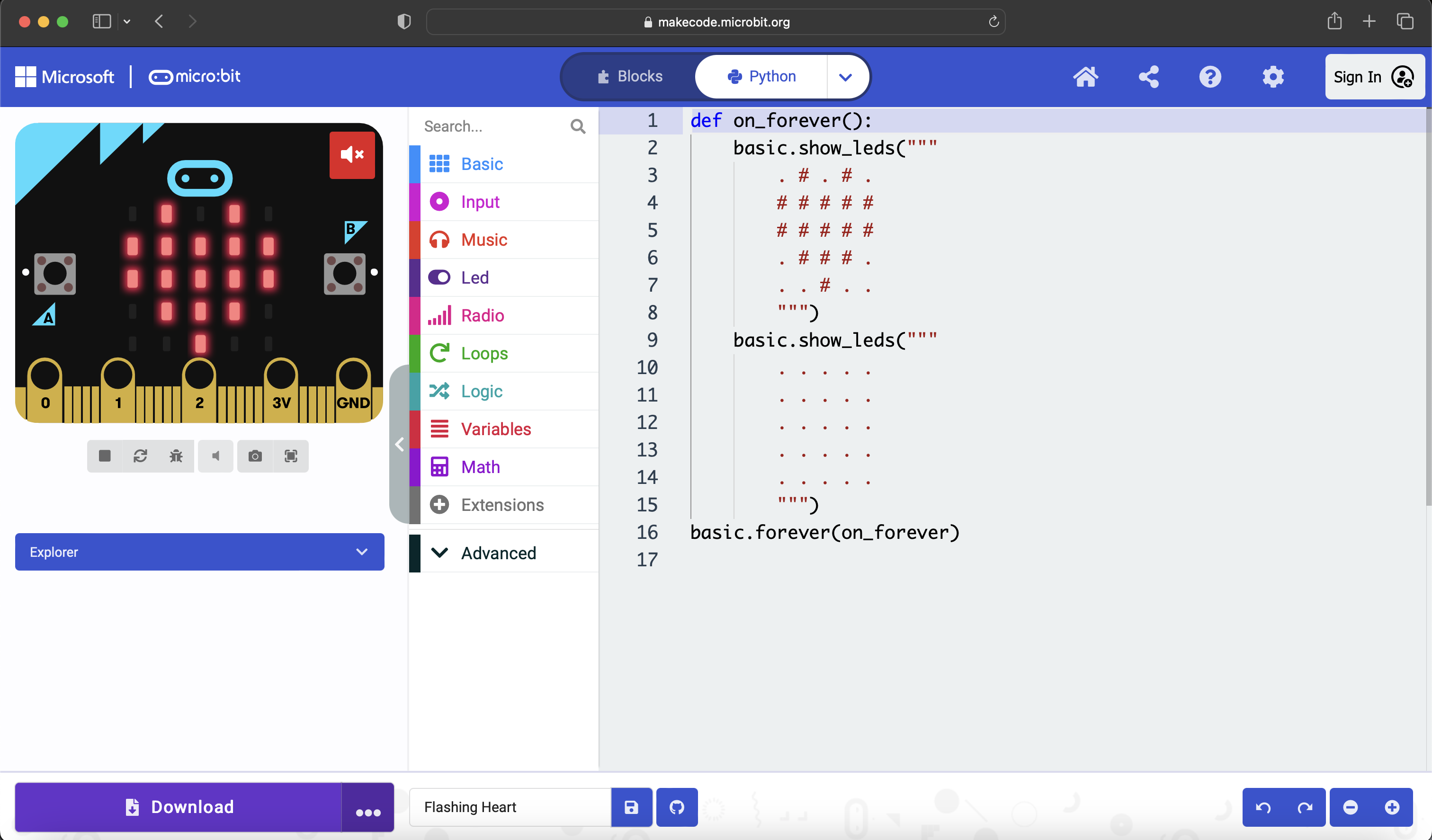
Hint (differences): the JavaScript uses the syntax basic.forever(function on_forever()...) to encapsulate the beating heart, whereas Python uses def on_forever(): ... basic.forever(on_forever).
Hint (similarities): both the JavaScript and Python define a function on_forever(), of which basic.forever() invokes the function as an argument. Additionally, the graphics are displayed by calling a function on “basic”: basic.showLeds(...) for the JavaScript and basic.show_leds(...) for the Python.
-----
Bring the class back together and have them discuss the strategies they employed and the challenges they faced during the creation of the beating heart animation via block coding, and the following code analysis.
Discuss the similarities and differences between block coding and programming languages like the ones seen (although JavaScript is technically a “scripting” language), followed by the similarities and differences between JavaScript and Python. What may coding be used for in different real-world applications? Include the importance and utility that loops can offer within certain code applications.
Key concepts:
- Block coding: Beginner-friendly programming using visual blocks.
- JavaScript: High-level scripting language for web development.
- Python: High-level programming language known for simplicity and readability.
- Loops: Programming construct for repetitive tasks.
Overall, this module aims to provide students with hands-on experience in (block) coding using Microsoft's interactive and engaging MakeCode resource, while also familiarizing students with basic programming concepts as well as comparing different coding languages that perform the same function.
Discussion
- What would have happened if we added an extra show leds block INSIDE of the forever block? What would have happened if we added an extra show leds block OUTSIDE of the forever block? Consider both an empty show leds block and a populated one (e.g., the heart design one)
- What would have happened if we removed the forever block entirely, or never had it at all?